

2.3. MicroPython Editor#
The MicroPython editor is a web-based IDE for:
writing MicroPython code
running your on a simulated micro:bit
sending your code to a micro:bit
Direct link: https://python.microbit.org/v/3
Note
When using the MicroPython editor you will need to manually save (download) your Python script to use it later. To keep working on it you will need to open (upload) the script again.
2.3.1. Editor Breakdown#
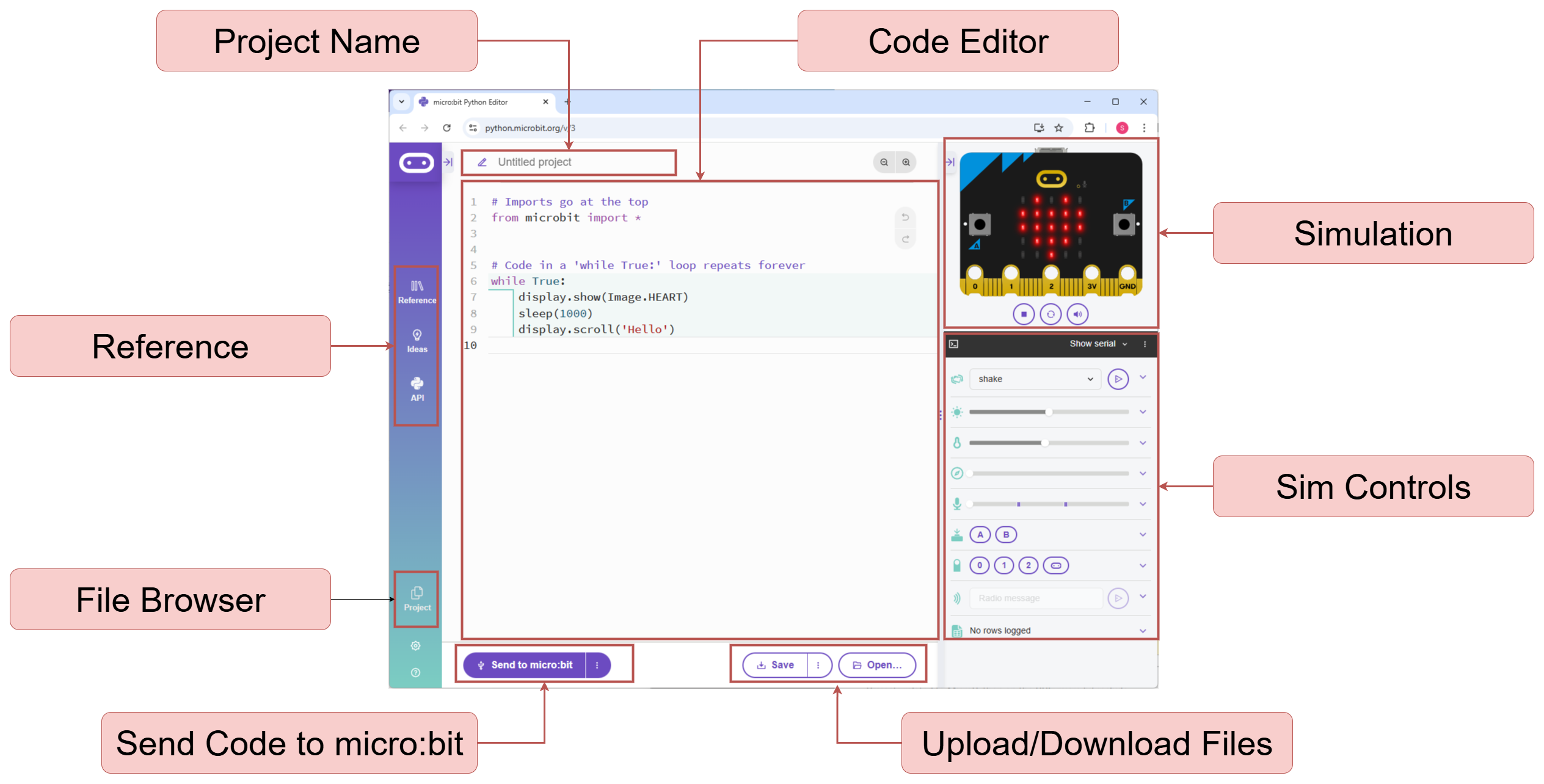
2.3.2. Exercises#
Navigate to the MicroPython editor https://python.microbit.org/v/3. If you already have it open, then use that existing window or tab.
Question 1
Run the sample provided on the simulated micro:bit.
from microbit import *

# Code in a 'while True:' loop repeats forever
while True:
    display.show(Image.HEART)
    sleep(1000)
    display.scroll('Hello')
Solution
You should see a heart image on the LED array for 1 second, then the text “Hello” scrolls across the display. This repeats indefinitely.
Question 2
Stop the running program by clicking the stop button below the micro:bit.

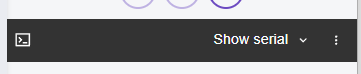
Now show the serial monitor by clicking in the region shown below:
Update your code to include a print statement to show your name at the end of every loop i.e.
from microbit import *

# Code in a 'while True:' loop repeats forever
while True:
    display.show(Image.HEART)
    sleep(1000)
    display.scroll('Hello')

    print("YOUR NAME HERE")
Answer the following:
Describe what is shown in the serial monitor (or upload a screenshot)
Does your name appear immediately when running the code or after a short period? Why is that?
Solution
Solution is locked