

3.3. Digital Certificates#
A digital certificate is a file that serves as proof of identity. It works in the same way that a driver’s license or passport verifies your identity by being:
issued by an authority that you trust, and
difficult to forge.
Certificates are used in secure communication to verify that someone is who they claim to be and that we can use their public key.
3.3.1. Contents of a Digital Certificate#
Certificates usually include:
Public key of the certificate holder
Identity of the holder such as their name
Identity of the issuer such as their name
Expiration date of the certificate
Signature from the issuer
For example, a digital certificate for “Alice” that is issued by “SecureTrust CA” might look like:
-----BEGIN DIGITAL CERTIFICATE-----
Public Key: 04A3B5C8D9E1F213A4B6C7D8E9F0123456789ABCDEF0123456789ABCDEF0123
Identity: Alice
Issuer: SecureTrust CA
Expiration Date: 2025-12-31
Signature: 9F1A45BDE23C67F8A90D1E2B3C4D5A6B7E8F9C0123456789ABCDEF0123456789
------END DIGITAL CERTIFICATE------
An expiration is usually included because the issuer will regularly change the public-private key pair that they use. If a key were to be compromised, an expiration date ensures that it cannot be used indefinitely, reducing the potential for fraudulent certificates.
3.3.2. Signing a Digital Certificate#
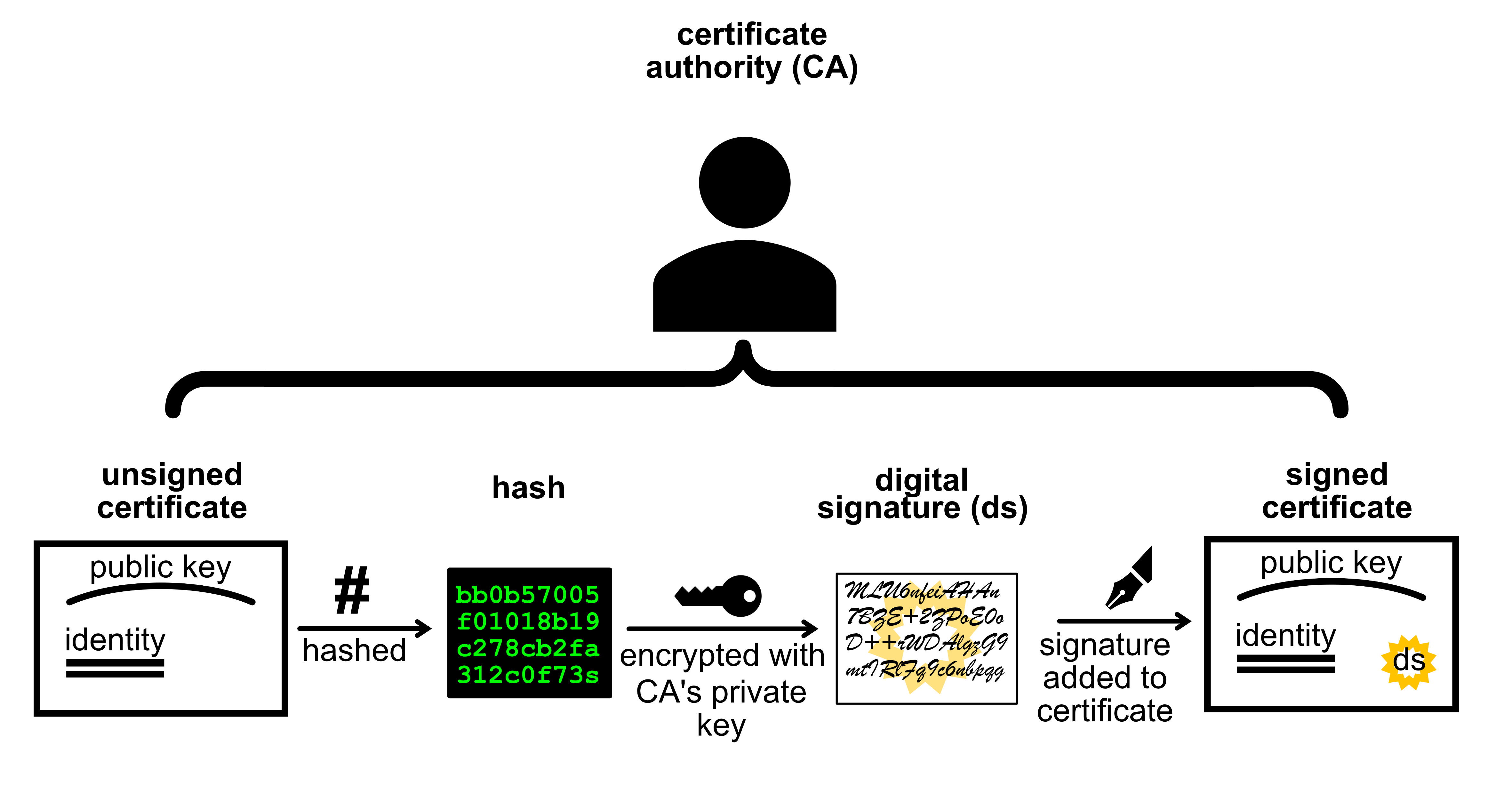
To be trustworthy, certificates need to be signed by someone that you trust. This person is called a Certificate Authority (CA). Applications can be made to certificate authorities requesting their signature.
Signing Process
The applicant submits their public key and identity details to a certificate authority
The certificate authority signs the certificate with their private key by adding a signature
The signature is created by hashing the certificate and then encrypting the hash using the CA’s private key
The certificate authority sends back the signed certificate to the applicant
3.3.3. Verifying a Digital Certificate#
Verifying a certificate is the same as verifying a signature. However, instead of using the sender’s public key to verify the certificate (message) we use the public key of the Certificate Authority.
Verification Process
Hash the contents of the certificate, excluding the signature
Decrypt the signature using the CA’s public key into the decrypted hash
Compare the hash of the contents to the decrypted hash.
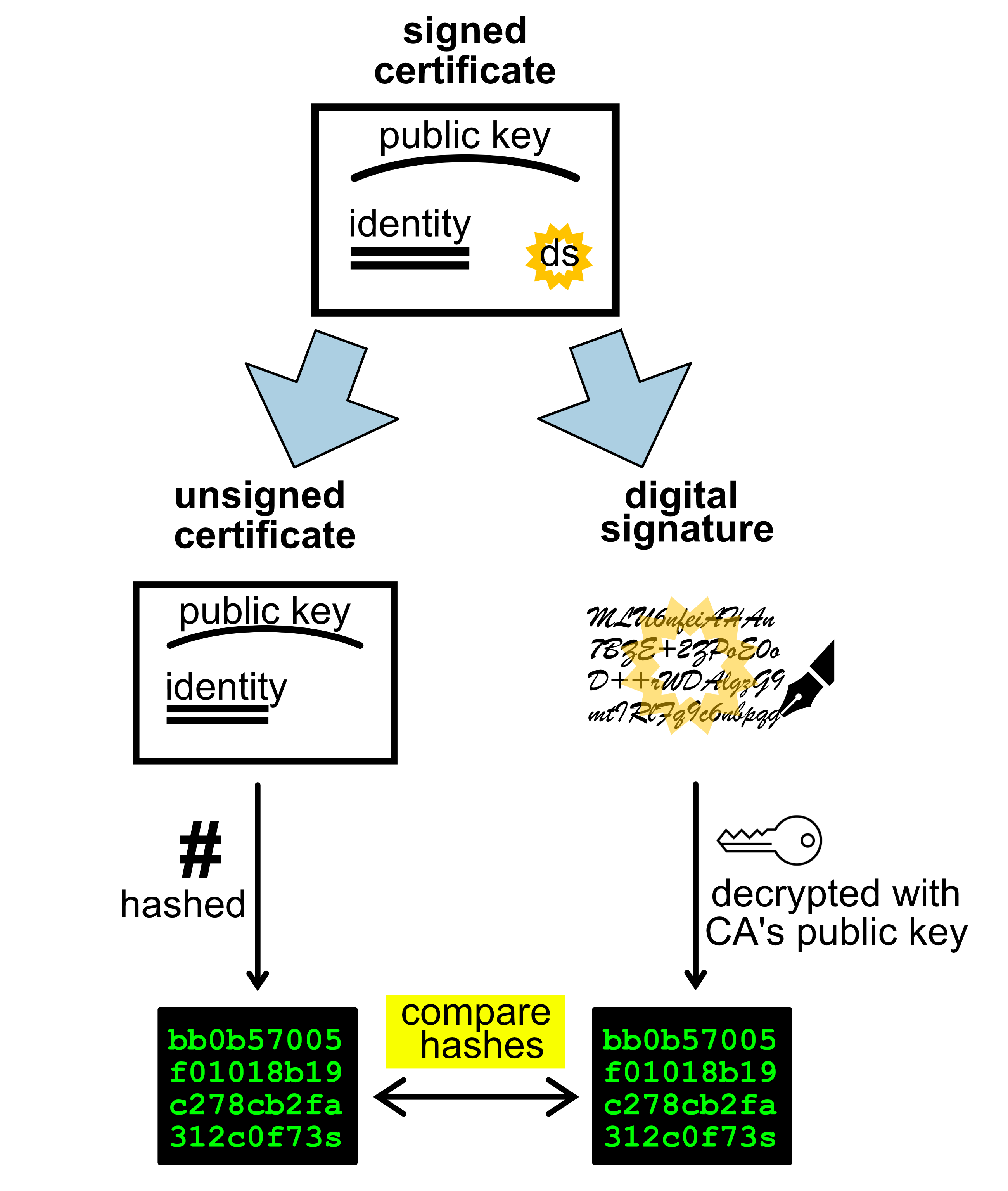
If the two hashes match then we can trust that the certificate holder is who they claim to be.
3.3.4. Glossary#
- Digital certificate#
A file that serves as proof of identity, similar to a driver’s licence or passport.